Jornada

Everyone on the trip, finally on the same page.

Jornada holds the plan, the packing, the receipts, and the addresses, so nobody has to scroll back through the chat to find them. Free to start.

Start a trip, free See what a finished trip looks like

Works in any browser on any phone. Add it to your home screen and it opens like an app. No download needed to start.

You already have a system. It is seven apps and a group chat.

The restaurant somebody sent on Instagram is buried forty messages back. The Airbnb code is in one person's email. Two people bought the same tickets. And three weeks after you get home, somebody is still owed forty euros and nobody can remember for what.

Jornada is one place for all of it, and everyone coming can see it.

The plan

Every idea in one place, with everyone's opinion on it

Drop ideas in as you find them, sort them into your own sections, and let the group vote instead of guessing. When something is decided, it goes on a day and the day fills itself in.

  • Send a link straight from Instagram, TikTok, or a booking site into the trip. Jornada pulls out the name and the place.
  • Text one idea to someone with a link that opens right on it, so they can vote without hunting for it.
  • Search the booking sites you actually use. Add your own to the list, and everyone on the trip gets it.
  • Multiple cities in one trip, in the order you are visiting them, dragged into place on your phone.
  • Not sure between two versions of the weekend? Build both and compare them side by side. Committing to one keeps the other as a draft.
  • Filter the whole itinerary down to one person, for the days when the group splits up.
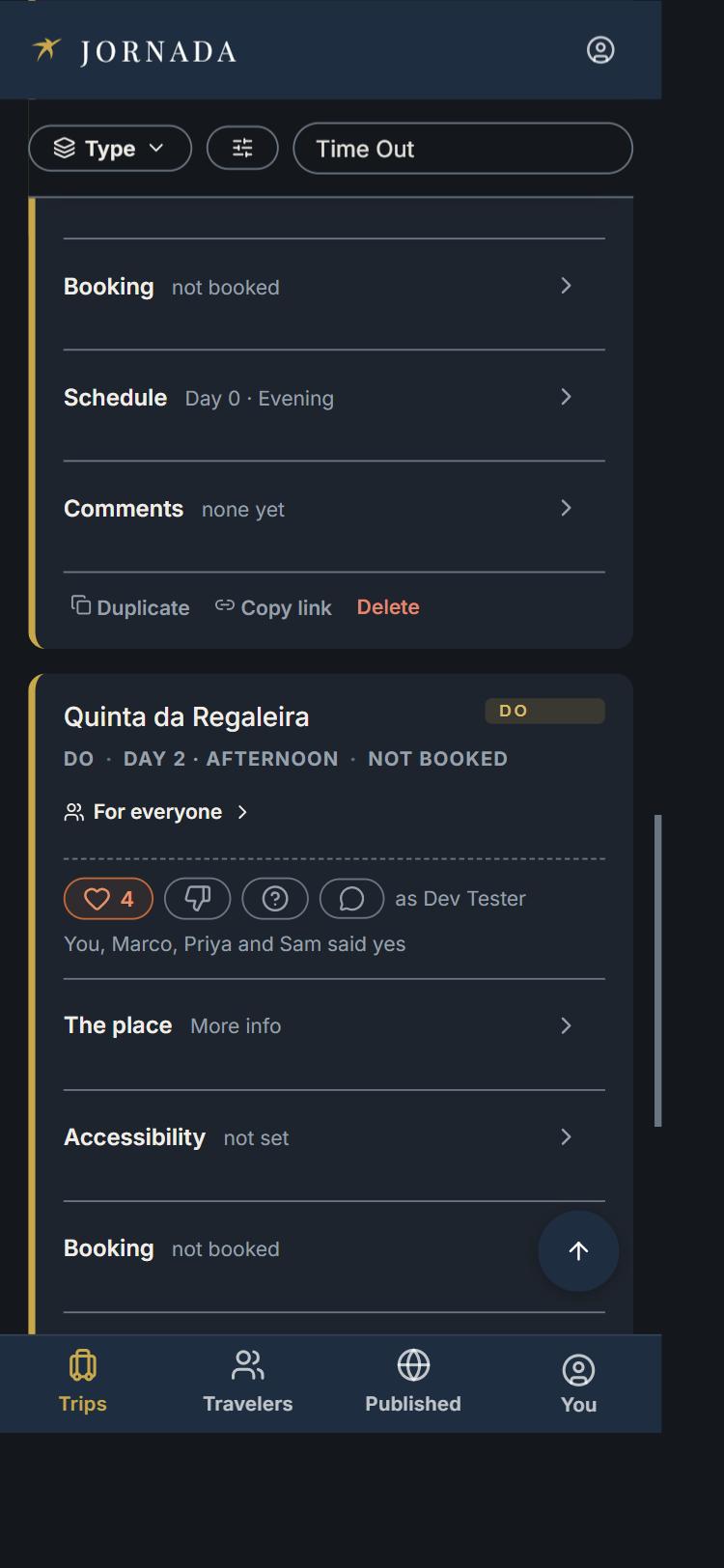
An idea card for Quinta da Regaleira with four heart votes and the note 'You, Marco, Priya and Sam said yes.'
The money

Nobody has to be the spreadsheet person

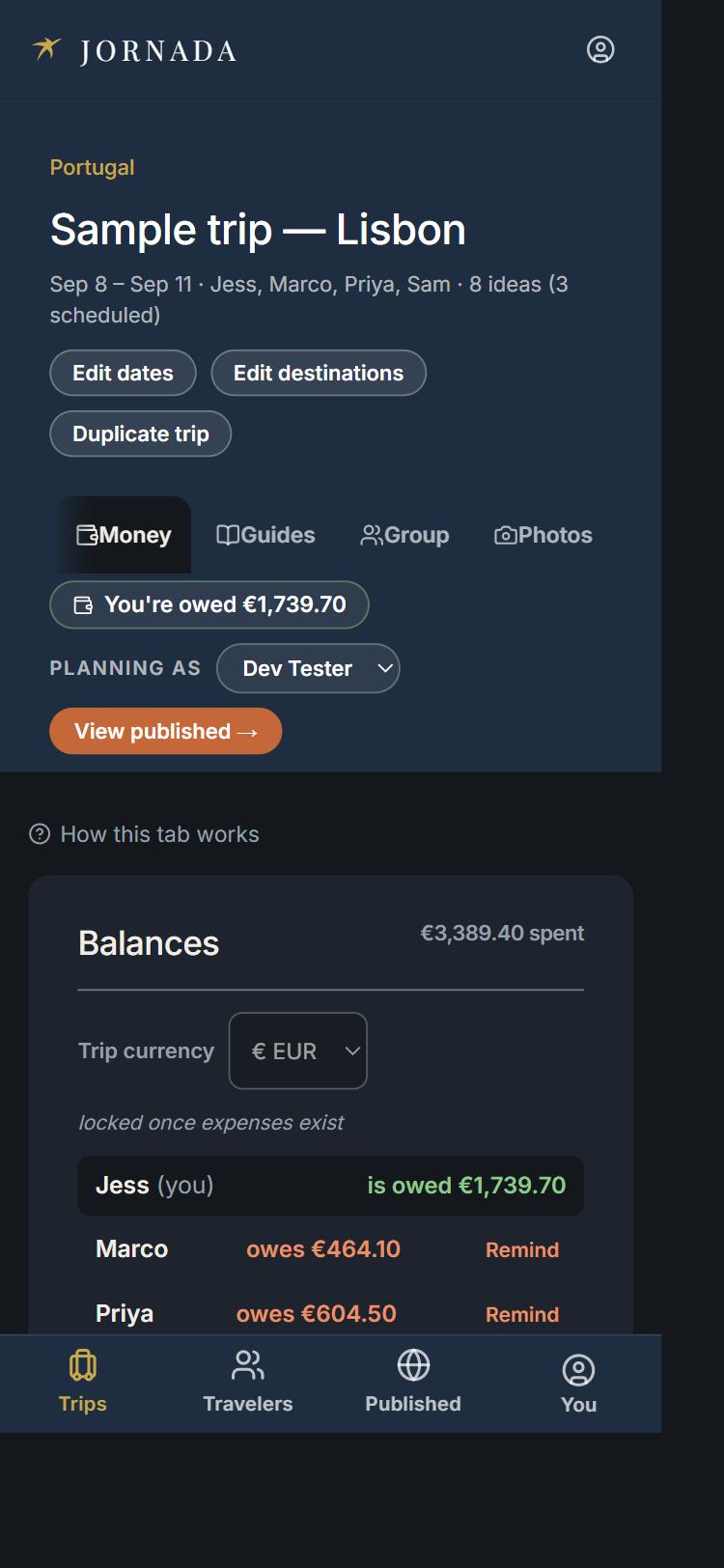
Log what you paid, say who it was for, and Jornada keeps the running total. It handles the parts that usually go wrong: foreign currency, one person covering the villa, and paying somebody back in pieces instead of all at once.

  • Paid in euros and you think in dollars? The exchange rate for that day fills itself in, and you can overwrite it with the real figure off your statement.
  • Settle one expense at a time, not just the whole balance. Tick off the dinner and leave the flights for later.
  • Pay through Venmo, Cash App, PayPal, Wise, or Revolut, with the amount already filled in and already converted.
  • Snap the receipt onto the expense. Receipts stay locked to the group even when the itinerary is public.
  • Export it all to a spreadsheet, or bring an existing one in.

If you already use Splitwise, this is that, sitting inside the trip it belongs to.

The money tab of a trip, showing Jess is owed €1,739.70 and what Marco and Priya each still owe.
The packing

Pack from a photo of your own clothes

Everyone gets their own list, plus a shared one for the things somebody needs to bring for the group. Then there is the part people did not expect to love: photograph what you are considering, lay it out, and see the outfits before you zip the bag.

  • Photograph each piece and drop it into a shelf. Tops, bottoms, layers, shoes, whatever you call them.
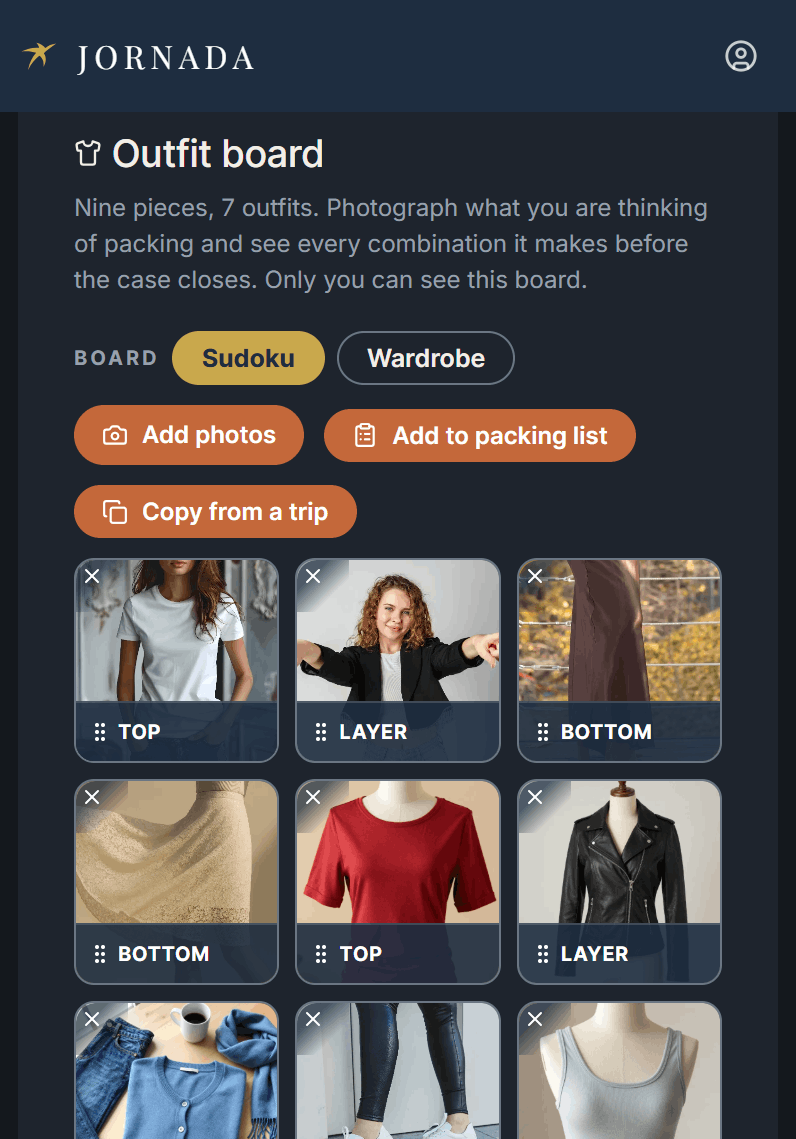
  • Packing light? Use the three by three grid. Nine pieces read as seven outfits.
  • Pick a few pieces, name the outfit, and it becomes one image you can text to a friend for a second opinion.
  • Turn the shelves into packing list lines in one tap, with the counts already worked out.
  • Going somewhere similar? Copy the whole wardrobe from an earlier trip.
  • Your wardrobe is yours. Nobody else on the trip sees it, and it never appears on a published itinerary. Nothing leaves your phone until you choose to send it.
A wardrobe board with nine photographed clothing pieces sorted into Top, Layer, and Bottom shelves.
The people

Tell it once, and it remembers

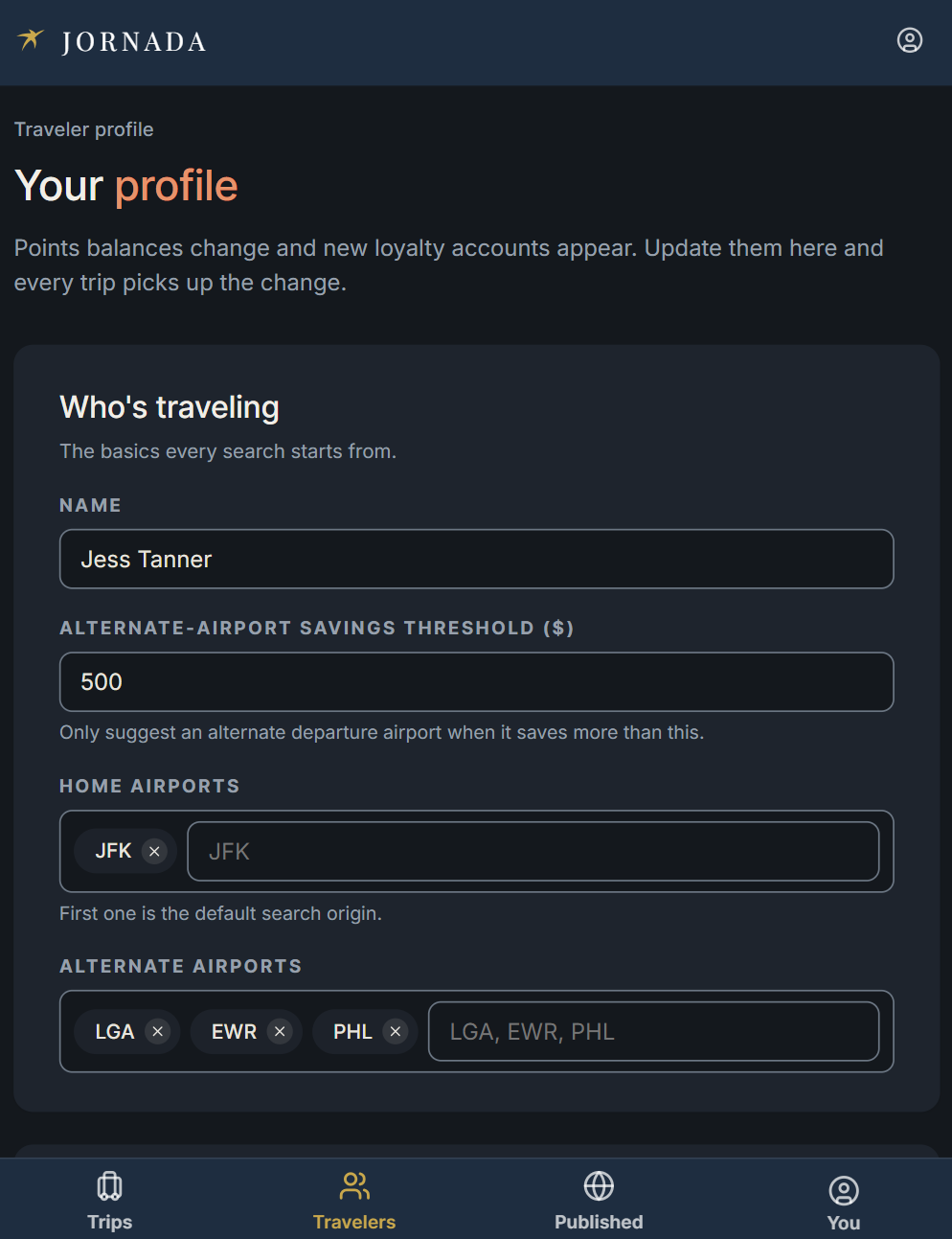
Each traveler has a profile: how they like to travel, what they will not eat, what they cannot walk up. Add them to a trip and it all comes with them, so nobody is answering the same three questions on every trip.

  • Invite by email. One tap in the invite signs them in, no password to make up.
  • Allergies, mobility needs, and the rest sit where the group can plan around them instead of finding out at the restaurant.
  • Kids and anyone else you are traveling on behalf of get their own lists without their own account.
  • Planning the same trip again, or the same trip for different people? Duplicate it and start from the finished version.
A traveler profile screen for Jess Tanner, showing home and alternate airports and a savings threshold.
The itinerary

Send them a real itinerary, not fourteen screenshots

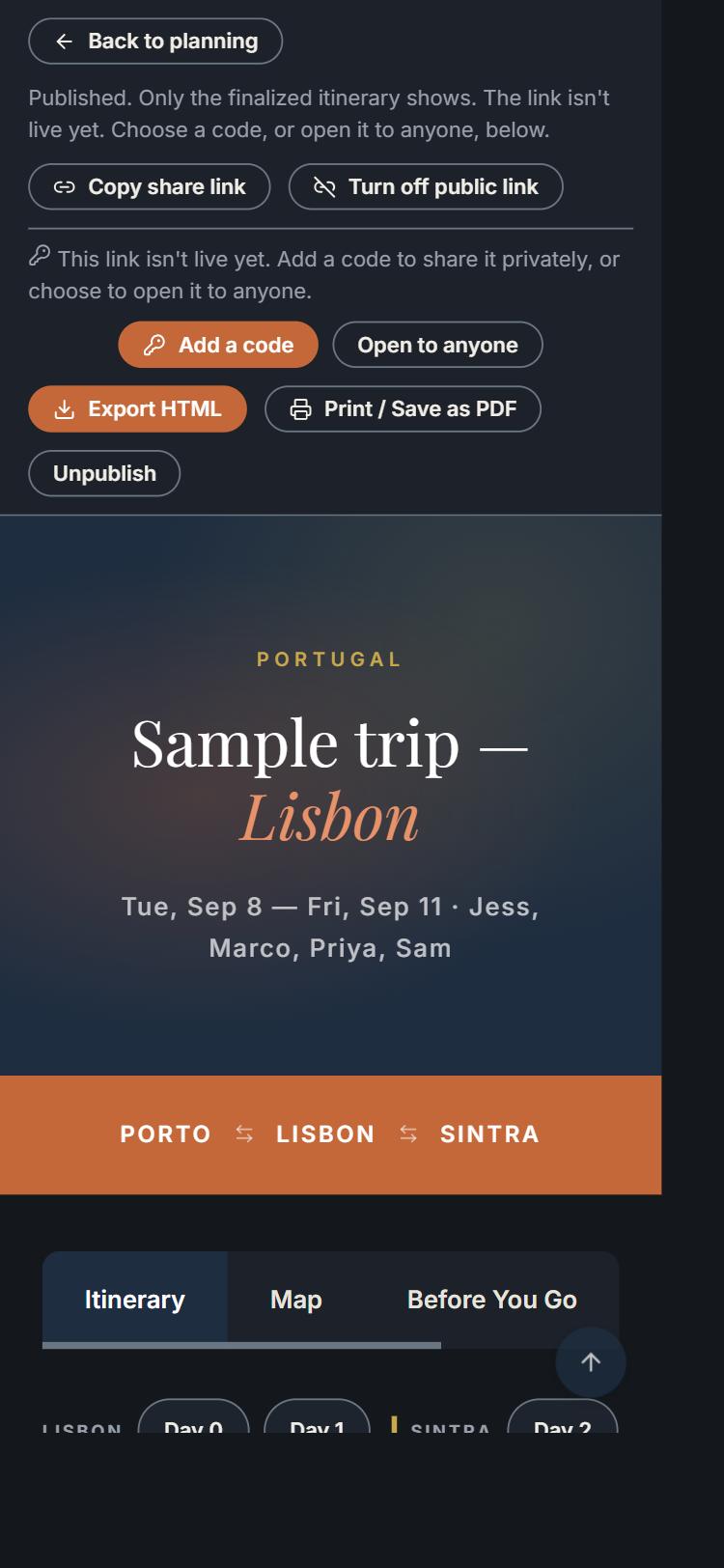
When the plan is settled, publish it. It comes out as a clean day by day itinerary you would happily send to your in-laws, and you decide exactly how much of it they get.

  • A public link is off until you turn it on, and when you turn it on it comes with a passcode by default.
  • Confirmation numbers, check-in times, and phone numbers show for the group and stay off the public version.
  • Traveler names stay off the public page too. A forwarded link should not pair four real people with exact dates.
  • Print it to PDF or save the whole thing offline for the flight.
A published Jornada itinerary hero reading 'Sample trip — Lisbon,' with the route Porto, Lisbon, Sintra below it.
Peace of mind

One person at home can see where you are

Pick one person per trip. Not the whole group, not the internet. They see the itinerary and the practical details, and nothing about the money, the photos, or anyone else's private notes.

  • Different trip, different person. Your sister for Portugal, your partner for New Orleans.
  • Share your live location for a while when you want to be extra safe, with a map they can watch and a note when you start.
  • They get it by email with a link. They never need to make an account to be useful.
  • Two kids on two different trips, both listing the same mother? She gets a card and a map for each of them.

If this is an emergency, call the local authorities.

How it works

  1. Make your profile. How you travel, what you eat, what you need. Once.
  2. Start a trip and invite people. They tap the email and they are in.
  3. Throw ideas at it. Links, restaurants, flights, the lot. Vote, then put the winners on days.
  4. Go. Log what you spend, pack from your own photos, and send the finished itinerary to whoever needs it.

Everything after step one takes about as long as sending a message to the group chat, except this time you can find it again.

You do not have to give up your group chat. You just get to stop using it as a filing cabinet.

A group chat is great for talking and terrible for finding. Nothing in a chat is ever in two places at once, and every decision sinks.
A shared note or a spreadsheet holds the plan but does not know who is coming, does not split the check, and cannot be handed to your mother.
An expense app squares the money up after the fact, in a different app from the trip that created it. Jornada keeps the receipt attached to the dinner it was for.
A planning app built for one traveler gives you a beautiful itinerary that nobody else can edit, vote on, or add to.

Jornada is the one that assumes there is more than one of you.

Frequently asked

Is it free?

Yes, to start.

Do I have to download anything?

No. Open it in your browser and add it to your home screen if you want the icon.

Can people I invite see everything?

People on the trip see the plan, the money, and the shared packing. Your own wardrobe board and your own packing list stay yours. Someone you send the public link to sees the itinerary and none of the private details.

What happens to my location?

Nothing, unless you turn it on. It goes to the one person you named for that trip, for as long as you choose, and it stops when you stop it.

Can I get my stuff out?

The money exports to a spreadsheet, the itinerary prints to PDF, and you can save a whole trip to read offline.

What if I want to leave?

Delete your account from your settings. It tells you which trips you own before you confirm.

Your next trip is going to happen anyway.

Start it here and stop rebuilding it in your head every time somebody asks a question.

Start a trip, free

Takes about two minutes. Bring one person or bring eleven.